Why Build YourAIScroll?
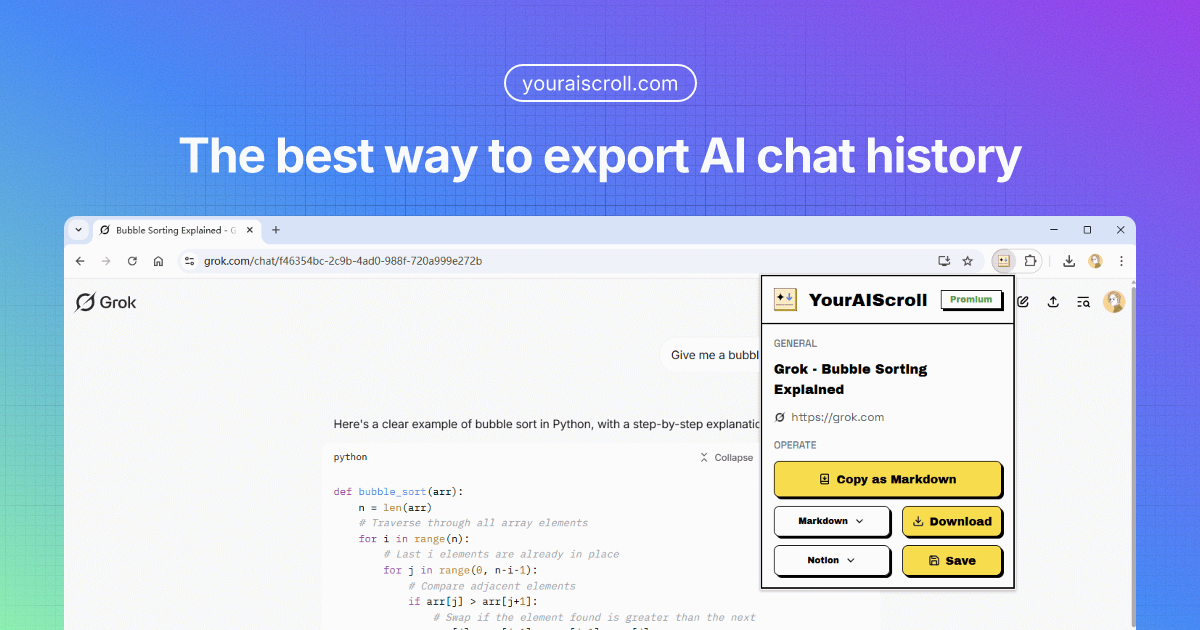
I frequently chat with AI, which has resolved many of my questions and provided valuable insights. To preserve these conversations, I often save its responses to my knowledge base. However, manually saving multi-turn dialogues can be tedious. To address this, I developed a browser extension that seamlessly exports entire conversations and saves them as clean, well-formatted content. This extension enables you to store AI conversations in your knowledge base, either locally or in Notion.
The Problem: Losing Valuable AI Conversations
AI chatbots have become indispensable tools for developers, researchers, and knowledge workers. Whether debugging code with ChatGPT, brainstorming ideas with Claude, or analyzing data with Grok, these conversations often contain insights worth preserving. But most AI platforms make it surprisingly difficult to save your chat history in a usable format.
Copy-pasting destroys code formatting. Screenshots are unsearchable. And manually reformatting multi-turn dialogues with code blocks, tables, and diagrams is painfully tedious. I experienced this frustration daily, and I knew there had to be a better way.
The Solution: One-Click Export for 10+ AI Platforms
YourAIScroll supports 10 AI chatbots — ChatGPT, Claude, Gemini, Grok, DeepSeek, Perplexity, Poe, Mistral, Copilot, and Kimi — with seamless export of Canvas, Artifacts, Diagrams, Web Search Citations, and more. It allows you to download conversations in multiple formats, including Markdown, HTML, JSON, and Plain Text, and features one-click saving to Notion for effortless integration.
What Makes YourAIScroll Different
Unlike simple copy-paste or screenshot tools, YourAIScroll is designed specifically for AI conversations. Here is what sets it apart:
- Perfect code preservation — Code blocks maintain syntax highlighting, indentation, and language tags, so you can use exported code directly without reformatting.
- Mermaid diagram extraction — Flowcharts, sequence diagrams, and pie charts are exported as renderable Mermaid markup, not flat images.
- LaTeX and table support — Mathematical formulas and structured tables are preserved in their original format.
- Multiple export formats — Choose Markdown, HTML, JSON, PDF, or Plain Text depending on your workflow.
- One-click Notion integration — Save conversations directly to your Notion workspace and build a searchable AI knowledge base.
Who Is YourAIScroll For?
YourAIScroll is built for anyone who regularly uses AI chatbots and wants to retain the value of those conversations:
- Developers who use AI for coding help and want to save solutions for future reference.
- Researchers who need to archive AI-assisted analysis and cite sources properly.
- Students who learn through AI tutoring and want to build study materials.
- Content creators who brainstorm with AI and want to organize their ideas.
Try It Today
YourAIScroll is available as a free browser extension for Chrome, Firefox, and Edge. The free tier gives you unlimited conversation copying in Markdown format. For power users, the Premium plan unlocks multiple download formats, PDF export, and one-click Notion integration.
Stop losing your AI conversations. Start building your personal AI knowledge base with YourAIScroll.