Subscription guide
Switch from Monthly to Annual
Keep the same Premium features for $44.90/year. Follow these steps to change your existing subscription in Creem.
The portal opens in a new tab so you can keep this guide beside it.
- 1
Select your current monthly subscription
In the Creem portal, look under Subscriptions and select YourAIScroll Premium — Monthly. If you see older subscriptions too, use Manage Order to check the Active status and current billing period before continuing.

- 2
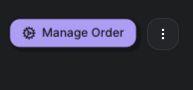
Click Manage Order
With your monthly subscription selected, click Manage Order near the top right of its order details. This opens the Subscription Details panel.
- 3
Click Update Subscription
In the right-hand panel, find Current Plan and click Update Subscription. Update Payment Details changes your payment method; it does not change your plan.

- 4
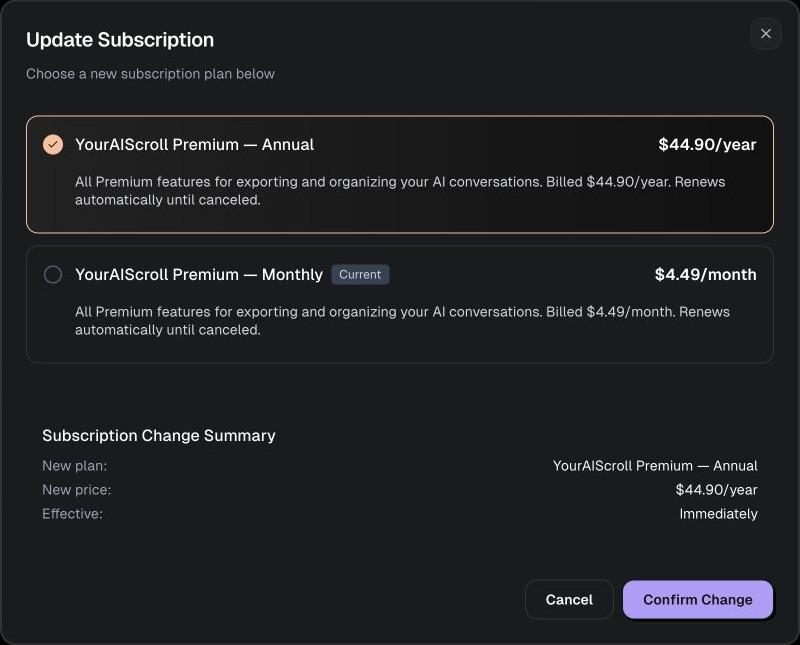
Choose Annual and review the change
Select YourAIScroll Premium — Annual ($44.90/year). Review the Subscription Change Summary, including the new price and when the change takes effect. The example below shows Immediately. When you are ready, click Confirm Change to submit the subscription change in Creem.


Before you confirm
Confirm Change submits a real subscription change and may trigger an immediate charge. Creem handles billing adjustments, applicable taxes and the renewal date. $44.90/year is the plan price, not a guaranteed amount charged today.
After Creem confirms the change, return to your Dashboard and refresh to check Billing: Annual. Synchronization can take a short time. If the update is still pending or payment needs attention, check the portal before trying again.
Cannot find Update Subscription?
Make sure you selected the current active monthly subscription. Trial, canceled or payment-pending subscriptions may show different actions. Do not start another subscription to work around a missing option; contact support for help.
Screenshots captured on October 10, 2026. Account and payment details are excluded. Creem may update its interface.